AI agents in Dynamics 365
The AI agents in Dynamics 365 for HR, supply chain, finance, project operations and field service. What each one does and what to check before you turn one on.

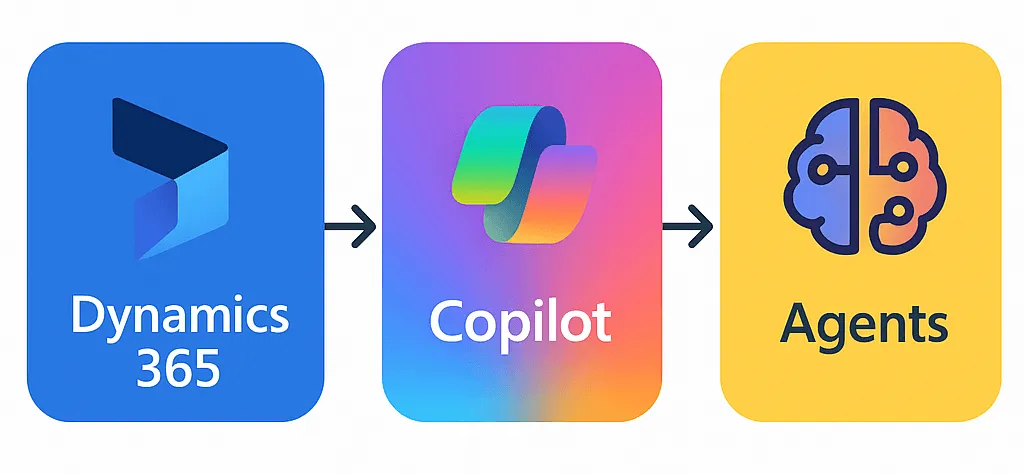
Microsoft is adding AI agents to the Dynamics 365 apps. Copilot helps a user who asks for a summary or a draft. An agent carries out a predefined task, such as following up on purchase orders.
This post covers seven of these agents. Names, versions and status are as of October 2026.
The agents at a glance
| Agent | Status | Product | What it does |
|---|---|---|---|
| Onboarding agent | Preview | Human Resources | Guides onboarding in Teams |
| Procurement Agent | Production-ready preview | Supply Chain Management | Follows up on purchase orders and reads vendor emails |
| Account Reconciliation Agent | Production-ready preview | Finance | Recommends actions for reconciliation exceptions |
| Time Entry Agent | Production-ready preview | Project Operations | Creates draft time entries |
| Expense Agent | Production-ready preview | Project Operations | Turns receipts into expense reports |
| Approvals Agent | Production-ready preview | Project Operations | Checks entries against policy documents |
| Scheduling Operations Agent | Preview | Field Service | Suggests technician schedules |
All seven agents are previews. Microsoft’s preview terms allow a production-ready preview to process personal data, but no preview is covered by a service level agreement. The Onboarding agent and the Scheduling Operations Agent are not marked production-ready. Under the terms such a preview is not intended for production use and should not process personal data.
Onboarding agent (Dynamics 365 Human Resources)
The Onboarding agent has two parts that run in Microsoft Teams. For the HR manager it drafts worker records and recommends onboarding checklists and leave plans. For the new hire it creates a draft record from an uploaded identity document and drafts a self-introduction email.
You need a Microsoft Copilot Studio license and a sandbox environment that is linked to Dataverse and runs Human Resources 10.0.48 or later with the latest quality update.
Recruitment is handled by the HR Recruiting app, which is an add-on and not an agent.
Procurement Agent (Dynamics 365 Supply Chain Management)
The Supplier Communications Agent is now part of the Procurement Agent, which has two capabilities.
- Supplier communications. It drafts follow-up emails for purchase orders that are unconfirmed or late. It also reads vendor emails and shows the requested changes for the purchaser to apply.
- Impact analysis. It checks whether a requested change affects sales orders, production orders, transfer orders or inventory levels.
Both capabilities need the features Immersive Home and Agent management and an agent identity user. Supplier communications also needs Supply Chain Management 10.0.44 or later and a mailbox synchronized with Dataverse. Impact analysis needs Supply Chain Management 10.0.48 or later.
The agent does not yet support a split delivery or a change of the delivery site or the vendor.
Account Reconciliation Agent (Dynamics 365 Finance)
The Account reconciliation feature compares the general ledger with the accounts payable, accounts receivable, tax and bank subledgers. It runs every six hours by default and shows each difference as an exception. The Account Reconciliation Agent recommends an action for an exception and the accountant accepts it or chooses another one.
You need Finance 10.0.46 or later, an agent identity user and the features Immersive Home and Agent management.
The agent processes two exception types, Voucher amount mismatch and Pending accounting transferred to general ledger.
Time Entry, Expense and Approvals agents (Dynamics 365 Project Operations)
The Time Entry Agent, the Expense Agent and the Approvals Agent are features of one Time and Expense Agent.
- Time Entry Agent. It creates draft time entries from project assignments, bookings or the entries of the previous week and reminds team members in Teams about missing hours.
- Expense Agent. It reads receipts from a shared mailbox, the Expense mobile app or Dynamics 365 Finance and Operations (F&O). It creates expense lines from them and groups the lines into expense reports by project or trip.
- Approvals Agent. It checks submitted time, expense and material entries against policy documents that you upload and marks each one Ready for approval or Needs review.
You need Project Operations 4.140.0.239 or later for the Time Entry Agent and F&O 10.0.45 or later with the latest quality update for the Expense Agent, which is turned on per legal entity.
The Expense Agent supports receipts in English only. The Approvals Agent skips an entry type that has no policy document.
Scheduling Operations Agent (Dynamics 365 Field Service)
The Scheduling Operations Agent suggests a new schedule for one or more technicians. A dispatcher can optimize the schedules of up to five technicians over a window of up to 72 hours, compare the suggestion with the current schedule and apply it. A batch optimization covers up to 50 technicians and 14 days. It can run on a recurring schedule.
You need Field Service 8.8.133.214 or later and Universal Resource Scheduling 3.12.149.15 or later. For each booking status an administrator sets whether the agent may move bookings in that status.
Travel time can be estimated from historical traffic patterns but not from live traffic.
What the agents have in common
- Copilot Studio and Dataverse. Every agent needs Copilot Studio and the agents that work on F&O data need an F&O environment that is linked to Dataverse. The agent deployment wizard in the Power Platform admin center checks the prerequisites and leads the administrator through the setup of the agent identity user for the Procurement, Account Reconciliation, Expense, Time Entry and Approvals agents.
- Billing. Agent usage is billed in Copilot credits. The Finance Premium and Supply Chain Management Premium licenses include 1,000 credits per user per month. Otherwise the credits come from a prepaid pack or a pay-as-you-go plan. In F&O the Agent management feature can be turned on only after Copilot Studio billing is set up for the environment. The documentation names what drives the cost, such as the number of emails read, but gives no number of credits.
- Review and approval. With every agent a person can review the result. At least three settings remove that review. The Procurement Agent can send follow-up emails without review. That setting is turned off by default. The Approvals Agent has the mode Classify and auto approve. Test the agent before you use that mode. A batch optimization of the Scheduling Operations Agent can be set to Apply automatically.
- Activity log. In F&O the Agent activity page shows what the agents did. The records are kept for 90 days by default.
Final thoughts
Check the prerequisites before you promise an agent to a customer. A demo does not show how an agent works on your own data or what it costs, so try it in a sandbox first.
You can also connect an AI assistant to F&O data yourself. I describe a server I built for that in How to build your own D365 F&O MCP server. My advice there is to read what the assistant plans to change before it changes anything.
Which of these agents interests or worries you the most? Let me know on LinkedIn or through the contact page.
Links
- https://learn.microsoft.com/en-us/dynamics365/human-resources/hr-onboarding-agent-overview
- https://learn.microsoft.com/en-us/dynamics365/human-resources/hr-recruit-setup
- https://learn.microsoft.com/en-us/dynamics365/supply-chain/procurement/procurement-agent-overview
- https://learn.microsoft.com/en-us/dynamics365/supply-chain/procurement/procurement-agent-impact-analysis-setup-wizard
- https://learn.microsoft.com/en-us/dynamics365/finance/general-ledger/acct-rec-agent
- https://learn.microsoft.com/en-us/dynamics365/finance/general-ledger/account-reconciliation
- https://learn.microsoft.com/en-us/dynamics365/project-operations/time/enable-time-entry-agent
- https://learn.microsoft.com/en-us/dynamics365/project-operations/expense/expense-agent-overview
- https://learn.microsoft.com/en-us/dynamics365/project-operations/approvals/approvals-agent-intro
- https://learn.microsoft.com/en-us/dynamics365/field-service/soa-overview
- https://learn.microsoft.com/en-us/dynamics365/fin-ops-core/fin-ops/copilot/agent-mgmt
- https://learn.microsoft.com/en-us/dynamics365/fin-ops-core/dev-itpro/copilot/agent-deployment
- https://www.microsoft.com/en-us/business-applications/legal/supp-powerplatform-preview/
- https://go.microsoft.com/fwlink/?LinkId=866544&clcid=0x409